
How to Make a Picture Into a Coloring Page
Learn how to make a picture into a coloring page for kids — convert photos or drawings to free printable line art. Simple steps and tips for parents and educators.
- Coloring Page
- Make Picture Into Coloring Page
- Free Printable
- For Kids
- Photo to Line Art
Published by KidColorAI · Updated
%22%20%2F%3E%0A%09%09%09%09%09%3Cstop%20offset%3D%2255%25%22%20stop-color%3D%22hsl(13%2082%25%2064%25)%22%20%2F%3E%0A%09%09%09%09%09%3Cstop%20offset%3D%22100%25%22%20stop-color%3D%22hsl(157%2080%25%2062%25)%22%20%2F%3E%0A%09%09%09%09%3C%2FlinearGradient%3E%0A%09%09%09%09%3Cfilter%20id%3D%22shadow%22%20x%3D%22-20%25%22%20y%3D%22-20%25%22%20width%3D%22140%25%22%20height%3D%22140%25%22%3E%0A%09%09%09%09%09%3CfeDropShadow%20dx%3D%220%22%20dy%3D%2216%22%20stdDeviation%3D%2224%22%20flood-color%3D%22rgba(17%2C24%2C39%2C0.18)%22%20%2F%3E%0A%09%09%09%09%3C%2Ffilter%3E%0A%09%09%09%3C%2Fdefs%3E%0A%09%09%09%3Crect%20width%3D%221200%22%20height%3D%22800%22%20rx%3D%2256%22%20fill%3D%22url(%23bg)%22%20%2F%3E%0A%09%09%09%3Ccircle%20cx%3D%22140%22%20cy%3D%22140%22%20r%3D%2284%22%20fill%3D%22white%22%20opacity%3D%220.18%22%20%2F%3E%0A%09%09%09%3Ccircle%20cx%3D%221020%22%20cy%3D%22126%22%20r%3D%22120%22%20fill%3D%22white%22%20opacity%3D%220.12%22%20%2F%3E%0A%09%09%09%3Ccircle%20cx%3D%221050%22%20cy%3D%22680%22%20r%3D%22190%22%20fill%3D%22white%22%20opacity%3D%220.1%22%20%2F%3E%0A%09%09%09%3Cpath%20d%3D%22M0%20620C146%20570%20254%20584%20368%20624C500%20670%20598%20704%20728%20680C872%20654%20962%20560%201200%20604V800H0Z%22%20fill%3D%22rgba(255%2C255%2C255%2C0.16)%22%20%2F%3E%0A%09%09%09%3Cpath%20d%3D%22M0%20690C180%20650%20268%20676%20420%20720C538%20754%20638%20764%20760%20744C892%20720%201008%20650%201200%20690V800H0Z%22%20fill%3D%22rgba(255%2C255%2C255%2C0.1)%22%20%2F%3E%0A%09%09%09%3Cg%20filter%3D%22url(%23shadow)%22%3E%0A%09%09%09%09%3Cg%20transform%3D%22translate(330%20145)%22%3E%0A%09%09%09%09%09%3Crect%20x%3D%220%22%20y%3D%220%22%20width%3D%22450%22%20height%3D%22340%22%20rx%3D%2238%22%20fill%3D%22rgba(255%2C%20255%2C%20255%2C%200.92)%22%20opacity%3D%220.96%22%2F%3E%0A%09%09%09%09%09%3Crect%20x%3D%2260%22%20y%3D%2256%22%20width%3D%22330%22%20height%3D%22200%22%20rx%3D%2228%22%20fill%3D%22hsla(355%2084%25%2052%25%20%2F%200.18)%22%20%2F%3E%0A%09%09%09%09%09%3Cpath%20d%3D%22M90%20210l86-70%2070%2050%2060-42%2084%2062v28H90z%22%20fill%3D%22hsl(13%2082%25%2064%25)%22%20opacity%3D%220.88%22%2F%3E%0A%09%09%09%09%09%3Ccircle%20cx%3D%22344%22%20cy%3D%2298%22%20r%3D%2230%22%20fill%3D%22hsl(157%2080%25%2062%25)%22%20opacity%3D%220.85%22%2F%3E%0A%09%09%09%09%09%3Ccircle%20cx%3D%22344%22%20cy%3D%2298%22%20r%3D%2212%22%20fill%3D%22rgba(255%2C%20255%2C%20255%2C%200.92)%22%20opacity%3D%220.95%22%2F%3E%0A%09%09%09%09%09%3Cpath%20d%3D%22M118%2088h134%22%20stroke%3D%22hsl(355%2084%25%2052%25)%22%20stroke-width%3D%2214%22%20stroke-linecap%3D%22round%22%2F%3E%0A%09%09%09%09%09%3Cpath%20d%3D%22M324%2052l8%2016%2016%208-16%208-8%2016-8-16-16-8%2016-8z%22%20fill%3D%22hsl(355%2084%25%2052%25)%22%20opacity%3D%220.92%22%2F%3E%0A%09%09%09%09%09%3Cpath%20d%3D%22M320%20256l5%2010%2010%205-10%205-5%2010-5-10-10-5%2010-5z%22%20fill%3D%22hsl(13%2082%25%2064%25)%22%20opacity%3D%220.9%22%2F%3E%0A%09%09%09%09%3C%2Fg%3E%0A%09%09%09%3C%2Fg%3E%0A%09%09%09%3Cg%20opacity%3D%220.96%22%3E%0A%09%09%09%09%3Crect%20x%3D%2272%22%20y%3D%2272%22%20width%3D%22238%22%20height%3D%2254%22%20rx%3D%2227%22%20fill%3D%22rgba(255%2C255%2C255%2C0.22)%22%20%2F%3E%0A%09%09%09%09%3Ctext%20x%3D%2298%22%20y%3D%22107%22%20font-family%3D%22Inter%2C%20Arial%2C%20sans-serif%22%20font-size%3D%2224%22%20font-weight%3D%22700%22%20fill%3D%22rgba(255%2C255%2C255%2C0.95)%22%3EKidColorAI%20Guide%3C%2Ftext%3E%0A%09%09%09%3C%2Fg%3E%0A%09%09%3C%2Fsvg%3E)
How to Make a Picture Into a Coloring Page (Free & Simple)
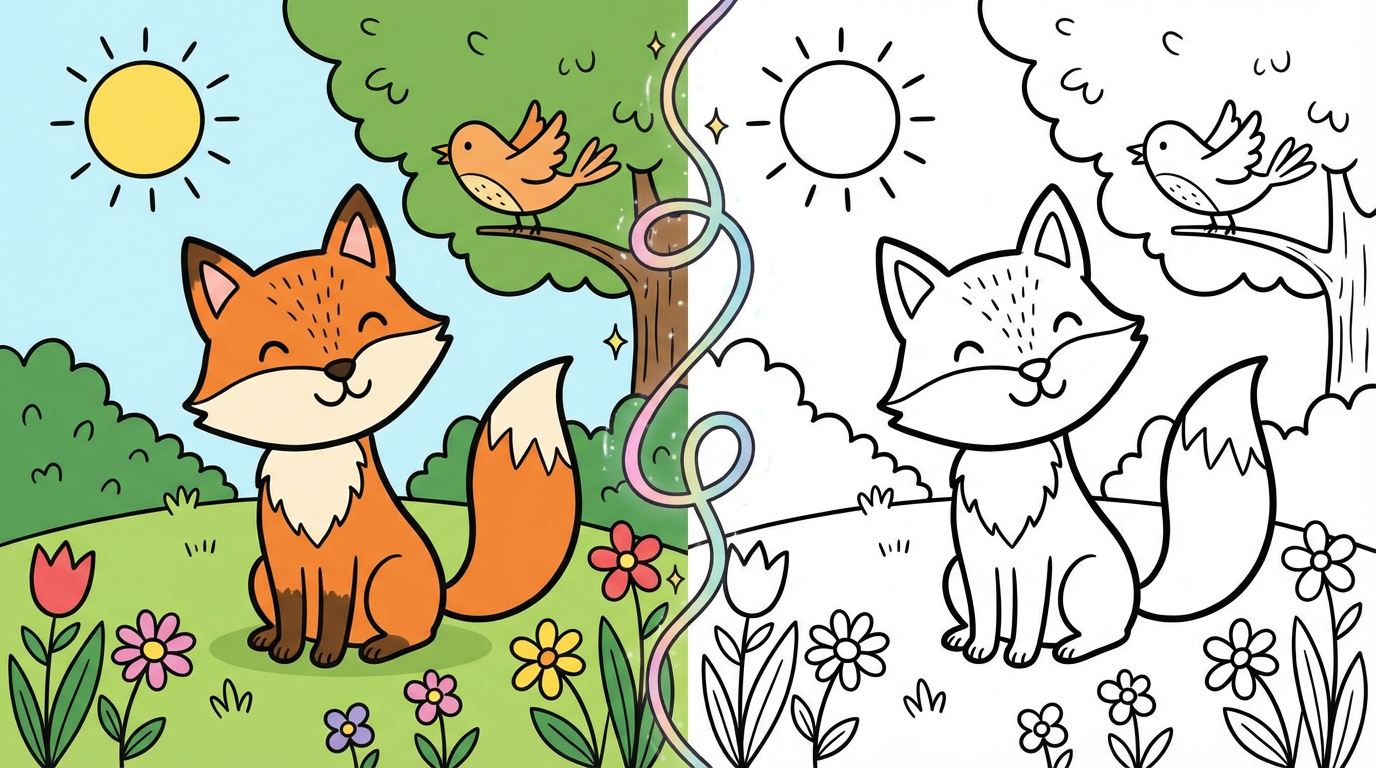
Making a picture into a coloring page is an easy way to turn a photo, your child’s drawing, or any image into a printable activity. You can make a picture into a coloring page in minutes using a free online tool — no design skills needed. The result is clean black-and-white line art that kids can color with crayons or markers.
Parents and educators often want to make a picture into a coloring page for birthdays, class projects, or keepsakes. With the right converter, you upload your image and get a coloring page that’s ready to download as PDF or print at home on A4 or US Letter paper. This guide shows you how to make a picture into a coloring page and what to expect.
Why Make a Picture Into a Coloring Page?
Making a picture into a coloring page lets kids color something personal — a family photo, a pet, or their own sketch. Teachers can make a class photo or project image into a coloring page for the whole group. It’s also useful for themed parties, gifts, or quiet-time activities.
When you make a picture into a coloring page on KidColorAI, the AI converts your image into kid-friendly line art. Generation uses credits after sign-in. Once created, the result can be downloaded and printed on a home printer.
What Images Work Best When You Make a Picture Into a Coloring Page?
Images with a clear subject and good contrast tend to work best when you make a picture into a coloring page. Photos or drawings with one main focus (a person, animal, or object) and a simple background usually convert to cleaner outlines. Busy or low-contrast images can still be made into coloring pages; the result may be more detailed, which suits older kids.
Aim for good lighting and a distinct subject. KidColorAI’s tool is designed to simplify and stylize images so the coloring page is suitable for kids ages 3–10. You can pick an age range and style (simple, cute, or detailed) so the result matches your child’s level when you make a picture into a coloring page.
How to Make a Picture Into a Coloring Page Step by Step
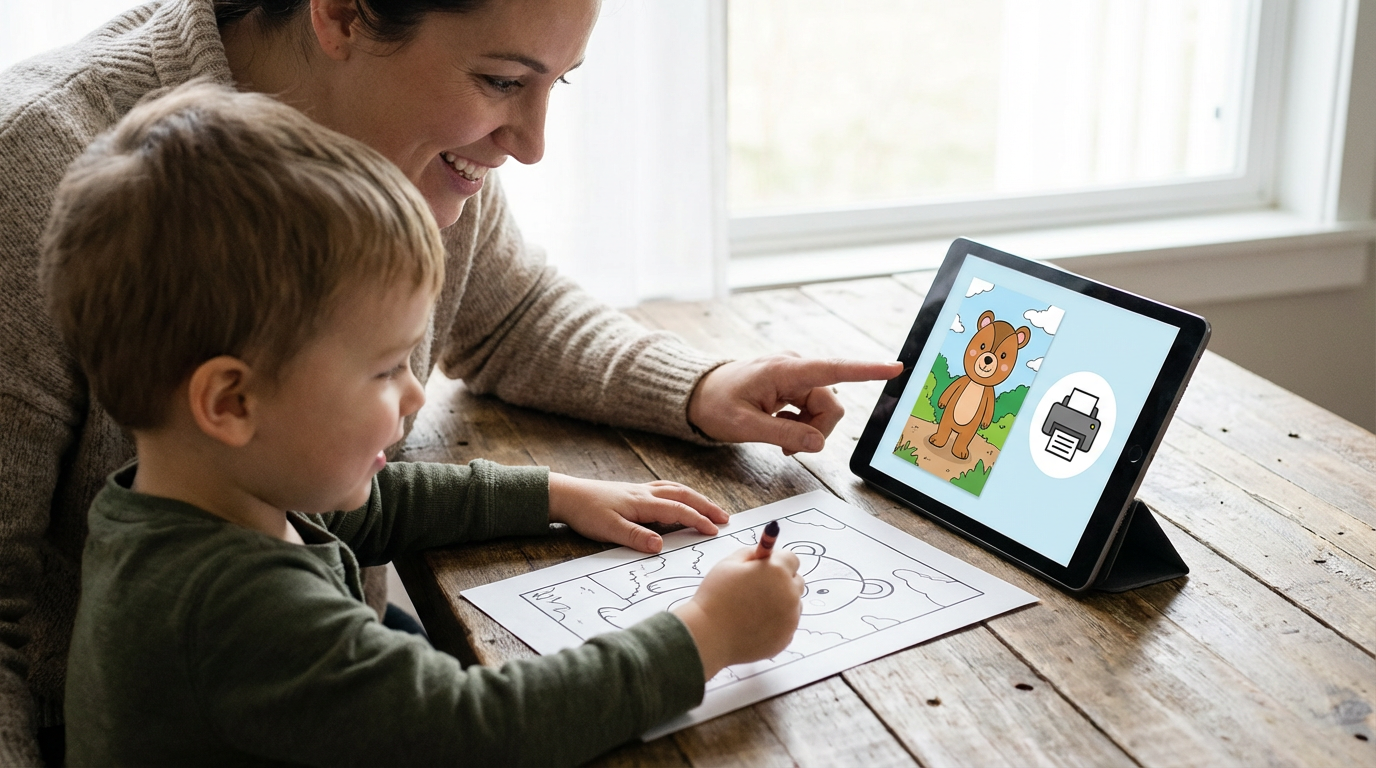
To make a picture into a coloring page on KidColorAI: open the coloring page generator, select “from image,” and upload your photo or drawing (or paste an image link). Choose an age range and style. The AI will make your picture into a coloring page. Then download as PDF or print directly from the browser.
Sign in to receive free starter credits, then upload your image, generate the page, and review the result before printing. You can retry with a tighter crop or a simpler source image when the first outline is too busy.
Where to Find More Free Coloring Pages
Besides making a picture into a coloring page, KidColorAI offers hundreds of free printable coloring pages by theme and age — from dinosaurs and unicorns to holidays and characters. Browse by category or use the AI generator to create custom sheets from text, voice, or an image. All pages are free to download and print at home.